
Alp Şeker
Jun 16, 2026
4 min read
Vibe Coding Without the Hype: How I Used It on My Own Terms
“Vibe coding” has been one of the most polarising topics in tech circles lately. Most of the conversation has been either pure hype or a defensive reaction to it. As a product designer, I wanted to explore what it actually means for someone like me: not a developer, not trying to become one, but someone who works at the intersection of design and engineering every day.
A few weeks ago, I designed and shipped a live web app: a color token generator with WCAG accessibility scoring, a curated library of 234 hand-picked color pairs, light/dark mode, and a responsive mobile experience. It’s at tokenexporter.netlify.app.
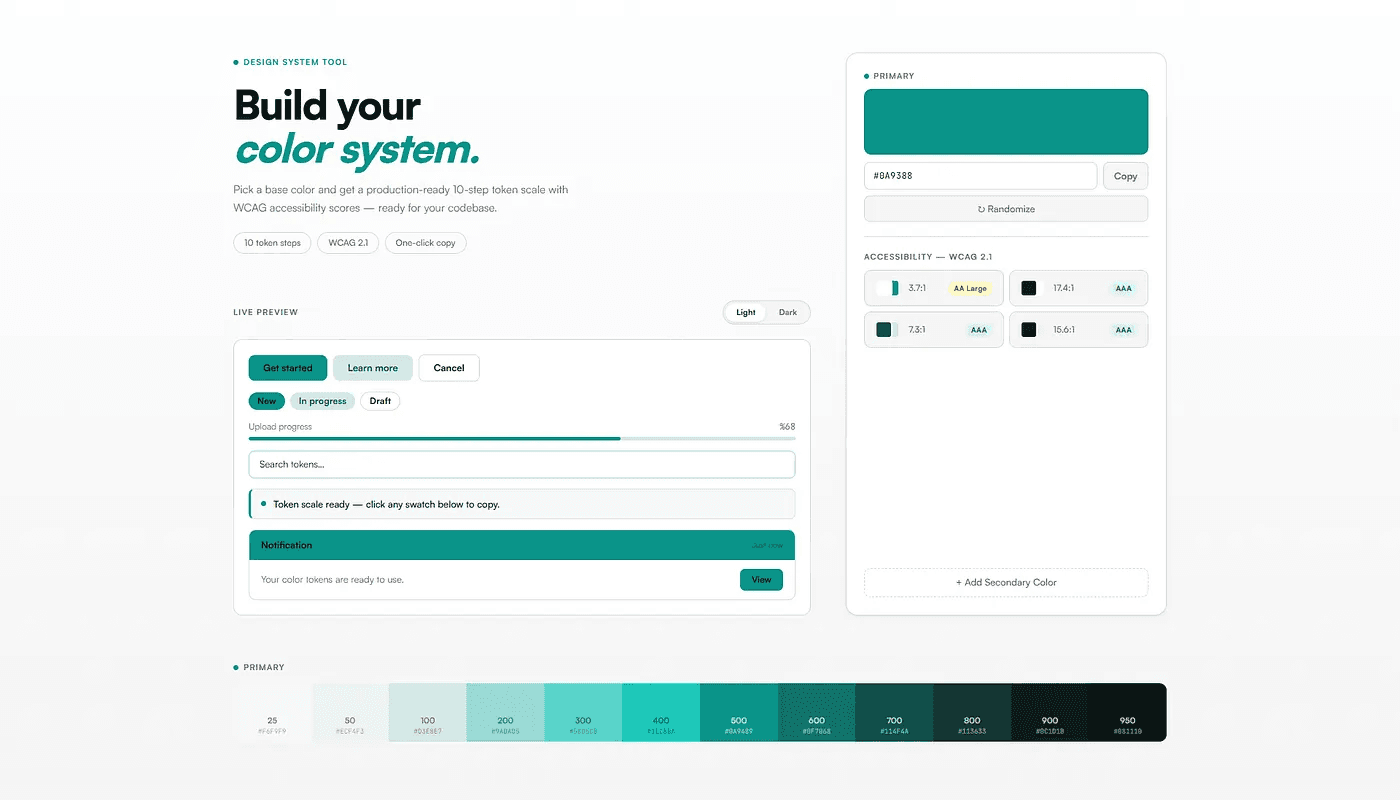
I wrote zero lines of code for this small web app.
I want to be careful about what I claim from that, because the online discourse around “vibe coding” has gotten sloppy very quick. This experience, and this article, is in no way meant to diminish the work of developers. Instead, it’s about bridging the work of designers and developers to better understand the coding process, shipping real products, and being in charge of the quality assurance of the final output.
Distinction between generating and directing
The popular take on vibe coding is “prompt AI, generate output, deliver the product.” That was not my aim whatsoever. I designed every responsive screen and state in Figma before a single line of code was written. Of course, just like in a real hand-off scenario, there were missing states, so there was a back-and-forth before finalizing the design and the code. One key takeaway from this process was how visible those gaps became: whenever a state or interaction was missing, the AI would assume and fill it in on its own. Seeing those assumptions rendered in the browser sent me back to Figma each time to design the missing states properly and bring the product back in line with my vision.

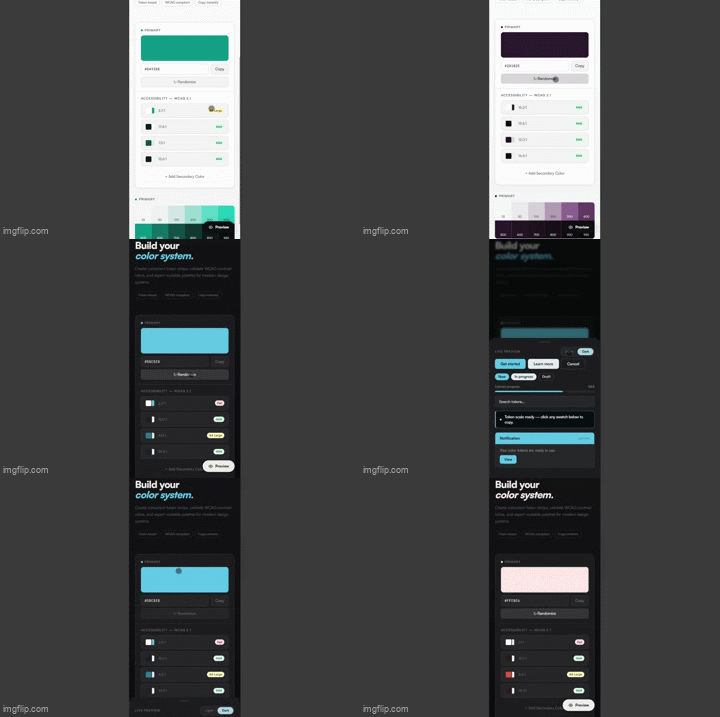
Mobile screens for the first and second iterations on Figma
A good example of this back-and-forth: in the first iteration (V0) , the mobile version was essentially the desktop layout collapsed into a single column. The color selection and live preview sat on top of each other and felt forced. But this only became apparent after prototyping and actually experiencing the product first-hand. That high-fidelity prototype revealed what the static Figma file couldn’t. I went back to the design, replaced the side-by-side layout with a floating preview button that opens a bottom sheet, and the mobile experience immediately felt like it belonged on a phone.
I could catch what was wrong not because I can write CSS, but because I know what good output looks and feels like. I qould question myself as a “designer” who just accepts whatever the AI produces.
What I learnt from the process
This is the part I didn’t expect. Building through this process gave me a felt understanding of frontend constraints I didn’t have before.
That understanding made me a better collaborator with developers the next day. Not because I can now write code, but because when I’m making design desicions, which is an essential part of my work, I have a better understanding of the implementation of it through code.
The real shift I felt there was perceptual, rather than technical. Having a working product to react to, and the ability to compare it to the Figma file changed the quality of my design decisions. I did not have to image how it would feel, I could simply interact, feel and adjust from there.
Where I have placed it
Vibe coding isn’t a replacement for engineering or developers in general. I would still love to work with actual developers even on a small project, because creativity blossoms in cooperation. But as a solo designer who wanted to explore the capabilities of AI tools and ship a real product, it allowed me to render my Figma designs into a real product with a narrow learning curve, and actually gave me a lot of ideas about the development efforts behind it.
My takeaway
I am happy with the quality of the shipped product, especially pleased with how close the final result is to the screens drawn in Figma. As a designer, I am happy that I got to experience other roles throughout this process, from developer to analyst to quality assurance, and it helped me step up in areas of my daily job that are not expected of me.
I am not going to say every designer should vibe code or build products with AI. But this has been my journey, and I wanted to contribute something to the discourse aside from “Here’s why you should vibe code.”
Token Exporter is live at tokenexporter.netlify.app. Built through vibe coding with Claude, designed in Figma, deployed to Netlify.
