
Sevginur Ak Parlak
Jan 19, 2026
7 min read
Enhancing UX Copy with AI
As a UX designer, you’ve likely faced the challenge of crafting clear, concise, and engaging copy that resonates with users.
As a non-native speaker, I leverage AI to enhance my work. My journey with AI in UX copywriting began with writing UX copy for basic screens, and now I use brand voice documents to create tailored UX copy for my clients.
I’ll walk you through how I leverage AI to improve my UX copy, offering insights and practical tips for integrating AI into your design workflow.
Before we move forward, let’s quickly talk about why AI is such a valuable tool for UX copy.
Saves Time: AI can quickly generate different versions of copy, letting you focus on the creative part; refining and perfecting the final text.
Keeps It Consistent: With AI, you can maintain a consistent tone and style across all user touchpoints, making sure everything feels aligned with the brand voice.
Cuts Down on Mistakes: AI tools can help catch grammatical errors or awkward phrasing before they become an issue, saving you from those last-minute revisions.
Let’s look at how to effectively integrate it into your copywriting workflow.
Step 1: Generating Initial Drafts
For some clients, I start by creating a brand voice document. This ensures consistent branding throughout the platform. To create brand voice documents, you can begin by answering the following questions:
Who are we as a brand? What are our core values, mission, and personality traits?
Who are we talking to? Who is our audience, and what are their needs, preferences, and pain points?
What sets us apart? How does our voice differ from competitors? What’s our unique communication style?
How do we want to sound? What key traits define our voice (e.g., playful, professional, empathetic)?
How should our tone adapt? How should we communicate in positive, neutral, and negative situations?
What works (and doesn’t)? What language styles align with our brand, and what should we avoid?
I’m using this list as template for creating different brand voice documents for my clients. Depending on the complexity of the project, you may conduct workshops with your team to answer these questions, or you can answer them by yourself.
Here’s an example of how I answered these questions for a Gen-Z-targeted project:
1. Who are we as a brand? We’re a friendly and supportive brand with straightforward, real, and helpful guidance in everything we do.
2. Who are we talking to? Our audience is Gen Z : people who value authenticity, simplicity, and meaningful connections with brands.
3. What sets us apart? We speak like a best friend, not a stuffy company, offering a more personal and relatable experience compared to other brands.
4. How do we want to sound? Our voice is friendly, empathetic, supportive, and always genuine.
5. How should our tone adapt? In positive situations, we’re upbeat and encouraging; in neutral situations, we’re clear and easygoing; in negative situations, we’re empathetic and helpful.
6. What works (and doesn’t)? Works: Casual, clear, and supportive language. No jargon or pushiness. Doesn’t work: Formal, distant, or overly technical communication.
After this stage, I pasted these questions and answers into ChatGPT and asked it to write a brand voice document. It produced the doc following:
“BFF Voice” Brand Voice Document
Brand Name: XYZ
Target Audience: Gen Z
Overview
Our brand voice is warm, approachable, and empowering — designed to resonate with Gen Z’s need for authenticity and connection. We aim to provide straightforward, clear guidance while maintaining a friendly and supportive tone. We speak directly to our audience, as we would to a close friend, creating a space where they feel heard, understood, and encouraged.
Tone of Voice
Our tone is conversational, empowering, and positive, yet adaptable to fit the situation. The goal is to make our audience feel supported and confident, no matter the context.
Positive situations: We express excitement and energy, celebrating achievements and encouraging progress. Words like “You got this!” or “Let’s keep going!” motivate and uplift.
Neutral situations: We communicate clearly and casually, ensuring information is simple, direct, and easy to digest. Phrases like “Just a quick update” or “Here’s what’s next” keep the tone light and to the point.
Negative situations: We are empathetic and reassuring, acknowledging frustrations with understanding and offering clear solutions. We might say things like “We understand how this can be frustrating, and we’re here to help you through it.”
Key Traits of Our Voice
Friendly: We speak with warmth and openness, creating a welcoming environment.
Empathetic: We truly understand our audience’s needs and emotions, showing that we care.
Supportive: We encourage and guide our audience, helping them feel capable and confident.
Authentic: We avoid corporate jargon or overly polished language. Our communication is real, relatable, and human.
Positive: We always strive to uplift, offering optimism even in difficult situations.
In Summary
Our brand voice is a reflection of who we are: real, supportive, and always there to help. Whether we’re celebrating wins or guiding through challenges, we maintain a tone that’s approachable, empathetic, and empowering. This helps us connect with our Gen Z audience in a meaningful way, building relationships that feel personal and human.
You can also use tools such as Jasper, Writesonic, or Copy.ai to create brand voice documents. I mostly use ChatGPT but they also provide a solid foundation.
Now we created the brand voice document. Let’s write copies for actual screens. To create ux copy for login screens, if you ask AI to write a UX copy without a brand voice document, it might produce something like:
“Welcome back! Ready to dive in? Enter your details below and let’s get you back to what matters.” (Friendly and Casual)
“Welcome back! Please enter your login credentials to continue.” (Professional)
“Hey there! Let’s get you back in the game. Enter your login info and let’s keep the momentum going.” (Energetic and Motivational)
“Welcome back. We’re glad to see you again. Please log in with your details below.” (Calm and Reassuring)
“Welcome back, friend! Log in below to get back to your personalized experience.” (Modern and Trendy)
Endless possibilities…
That’s why it’s important to define the rules of the brand voice first. It ensures consistency and coherence in all generated content.
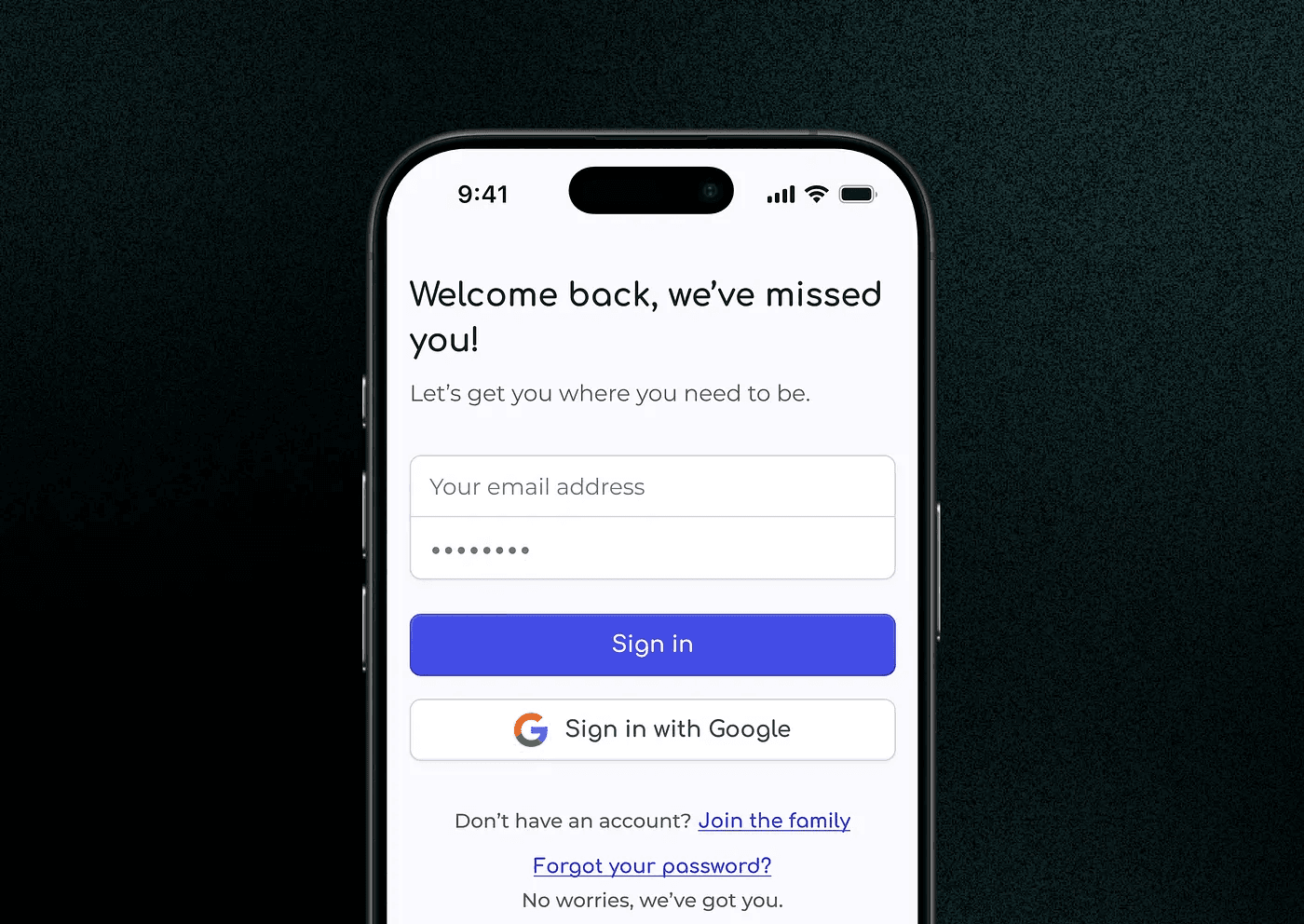
After saying that “Create the copy according to BFF brand voice”, it generated this:
“Welcome back, we’ve missed you!”
It’s friendly, direct, short, and simple. Just as we stated in our brand voice document.
Step 2: Refining
While AI-generated drafts are a great starting point, I review each draft and make adjustments to ensure:
the copy aligns with the brand’s voice,
it resonates with the target audience,
it’s simple and short enough to communicate with users.
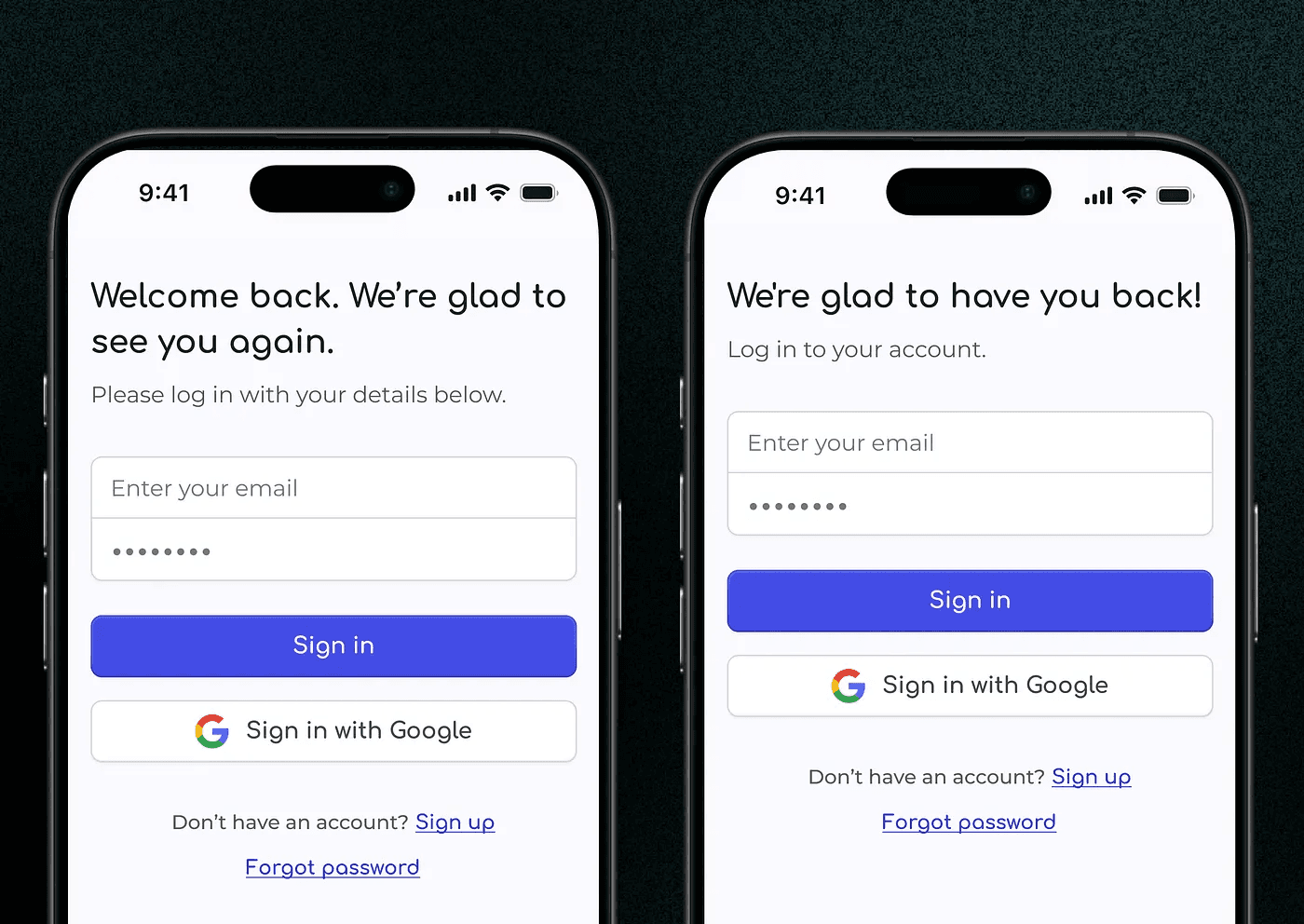
For example, if I didn’t use the brand voice document and started with this AI-generated copy:
“Welcome back. We’re glad to see you again. Please log in with your details below.”
I might refine it to:
“We’re glad to have you back! Log in to your account.”
“Welcome back. Please log in with your details below.”
Step 3: A/B Testing
A/B testing is essential for optimizing UX copy. This process involves comparing two versions of an element to see which one performs better based on user interactions.
For example, I might test these two versions of a call-to-action button:
“Get Started Now”
“Join Us Today”
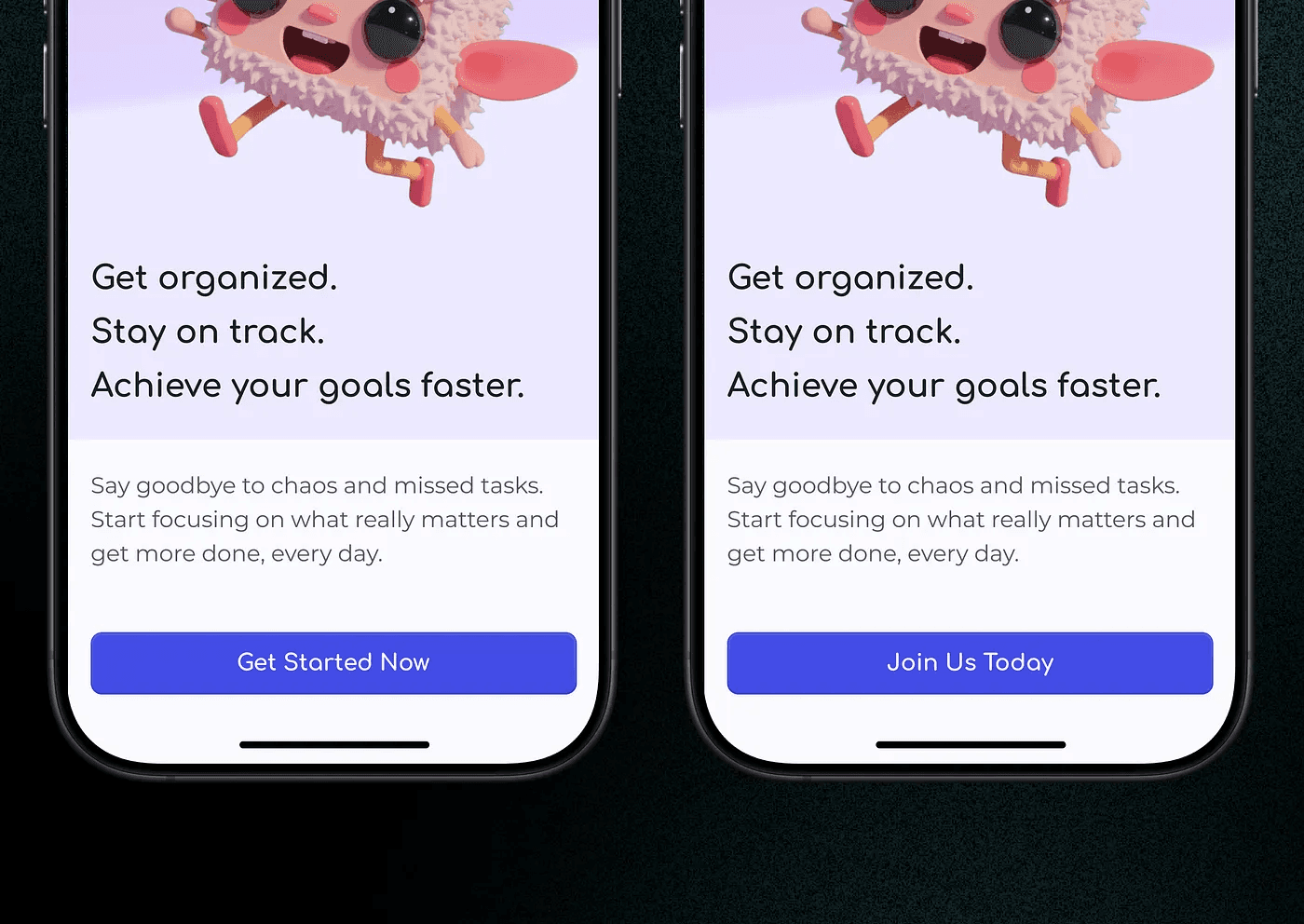
The test would involve showing each version to different audience and tracking the performance metrics (click-through rates, conversion rates, etc.). Based on user interactions, we might find that “Join Us Today” has a higher conversion rate. This insight helps me make informed decisions about the final copy, ensuring that the chosen version resonates more effectively with the target audience, ultimately improving user experience and achieving business goals.
Step 4: Continuous Improvement with AI Feedback
AI isn’t just useful for generating and testing copy; it’s also invaluable for ongoing improvement. Many AI tools offer real-time feedback based on user behavior and interaction patterns. By continuously monitoring these insights, I can make iterative adjustments to the copy, ensuring it remains effective and relevant over time.
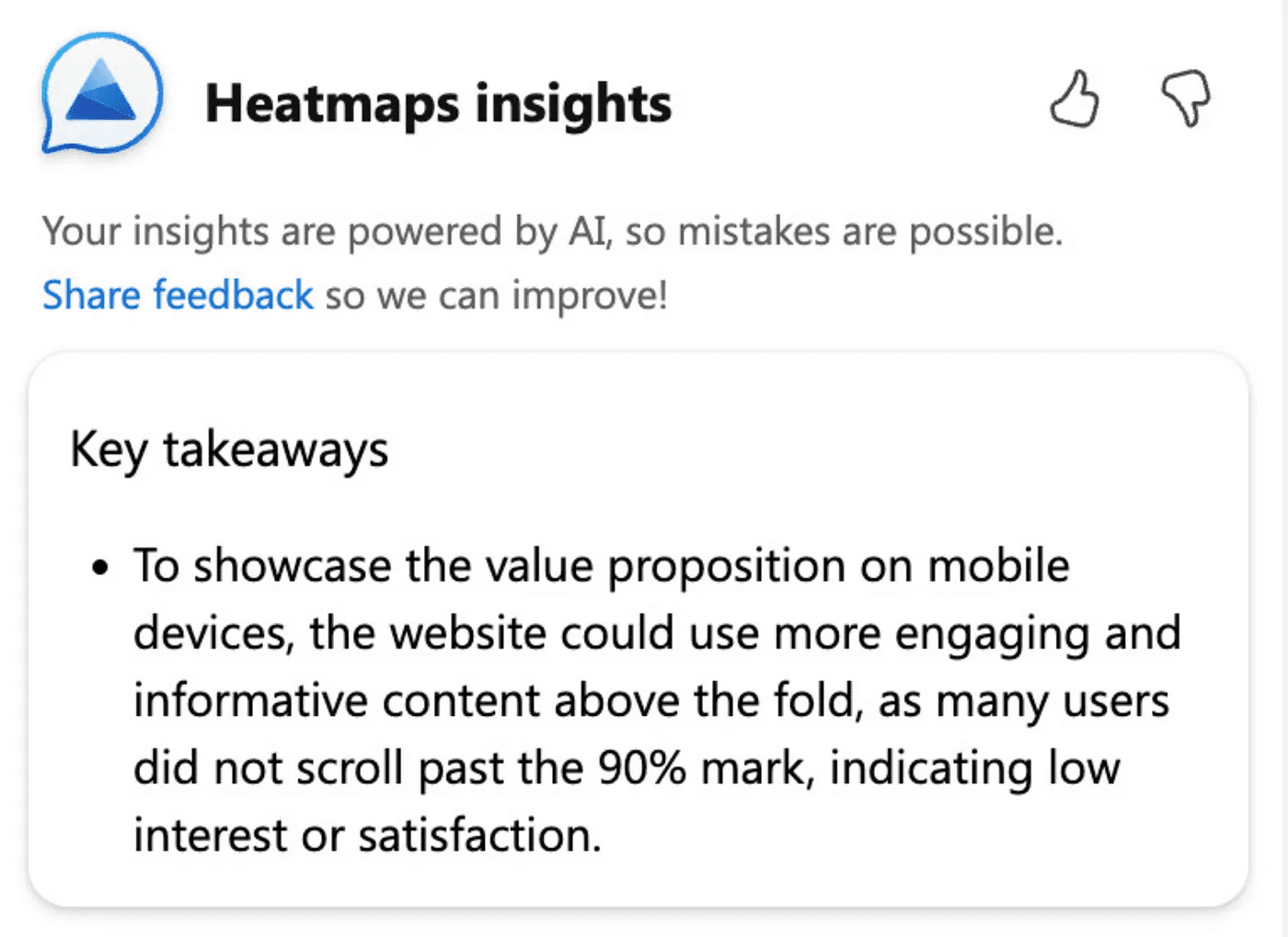
For example, if the AI detects that users frequently abandon the registration process at a certain step, I might revise the accompanying copy to address potential pain points and encourage completion.
Practical Tips
To maximize the benefits of AI in your UX workflow, consider the following tips:
Start with clear guidelines: Provide the AI with detailed guidelines, including tone, style, and key messaging points, to ensure the generated copy aligns with your brand’s vision.
Remain involved: Always review and refine AI-generated copy to add the human touch and ensure contextual relevance.
Leverage Data: Use user research insights to inform your copy decisions and continuously optimize based on user behavior.
AI is transforming the way we approach in UX, offering efficiency, consistency, and data-driven insights. By integrating AI tools into your design workflow, you can enhance user experiences, and stay ahead in the competitive landscape of product design.
