
Ayşe Doğan
Oct 30, 2025
5 min read
UX Customization at Scale: Balancing Freedom and Usability
A client asked us to add interface customization after users requested more control over the product. The challenge was not simply adding color, typography and layout options. We needed a scalable design-system model that let users personalize the experience without creating unreadable combinations, inconsistent components or an unmanageable implementation.
UX Customization Is a Design-System Problem
Customization gives users meaningful control over an interface, but every new option also creates more states for design, development and quality assurance. Without shared rules, personalization quickly becomes a collection of exceptions.
We treated customization as a system rather than a set of isolated settings. Fixed semantic roles protected essential content, while controlled theme tokens allowed selected visual properties to change consistently across screens and components.
The goal was constrained flexibility: enough choice for users to recognize the interface as their own, with guardrails that preserved usability, accessibility and long-term scalability.
Why UX Customization Needs Guardrails
More options can increase control, but they also increase cognitive load and the chance of incompatible choices. If users must become interface designers before using the product, customization has displaced the product’s real purpose.
The unrestricted example below shows the failure mode: users can create a combination, but the system does not protect readability, hierarchy or visual continuity. Freedom without constraints transfers design risk directly to the user.

Unrestricted freedom can destroy readability and overall design harmony.
For this client, we defined a limited but expressive set of choices. The design system generated safe variations from those inputs, so users could personalize the product while components continued to follow the same semantic and accessibility rules.
A Scalable Design System for Controlled Customization
1. Managing Colors and Theme Guidelines
Color customization scales only when visual choices are separated from semantic roles. Instead of styling every screen independently, we defined reusable roles for backgrounds, content, borders, actions and states.
A user-selected color became an input to the theme system. From that input, the system produced controlled variations that designers and developers could apply consistently across components.
Color Categorization Strategy:
Fixed Colors: Content colors that remain consistent across the interface
Theme Colors: Flexible colors that adapt based on user selections

For each color selected by users, we created multiple theme variations that allow choice while maintaining design consistency.

Five theme variations automatically generated from a single color code entered by the user, demonstrating controlled customization and design consistency.
2. Contrast and Accessibility
We evaluated theme combinations against WCAG 2.2 Level AA contrast criteria: at least 4.5:1 for normal text, 3:1 for large text, and 3:1 for meaningful user-interface components and graphical objects. These thresholds gave the team measurable acceptance criteria for every generated theme instead of relying on visual judgment alone.
Accessibility checks used in the system:
Check every text and background token pair against the relevant contrast threshold
Keep semantic text roles stable across light and dark themes
Validate buttons, controls, focus indicators and informative icons at a minimum 3:1 contrast
Review each generated theme at component and full-screen level, including disabled, hover, focus and error states
Reference: WCAG 2.2 contrast requirements from W3C.
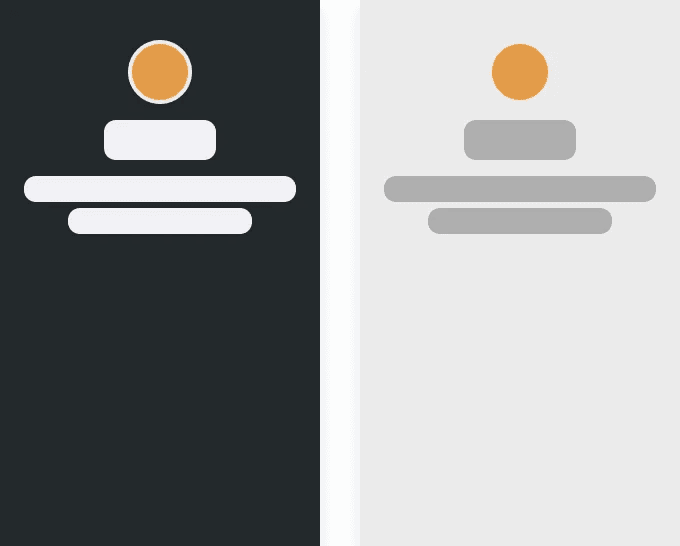
Example of content color variation in different contrasts
3. Light and Dark Versions
We know interfaces require both light and dark theme support. Our approach:
Divided palettes into light and dark sets
Defined rules using HSL lightness values
Created automatic theme application based on color properties
Ensured all elements meet appropriate contrast requirements in both modes

Dark and light mode approach
4. Maintaining Visual Consistency
Consistency is what turns customization into a maintainable system. We documented how each theme token maps to components, states and light or dark contexts so a new option could scale without page-by-page styling.
Creating standardized rules for each theme variation
Developing comprehensive theme systems (both light and dark versions)
Avoiding conflicting color tones within the same interface
Ensuring overall harmony to prevent visual errors
Implementation Guidelines
1. Typography Customization
Typography was limited to a small set of curated options:
Commonly used and universally compatible
Completely distinct from each other to avoid confusion
Optimized for the specific use case (web, email, mobile)
This prevented decision fatigue while maintaining flexibility.

2. Interactive Elements
Interactive components like buttons require careful balance between flexibility and consistency. Our approach to customizable interactive elements ensured they:
Enhanced user experience and improve functionality
Included relevant customization options (alignment, corner styles, colors)
Maintained consistency across different theme variations
Help users achieve their goals efficiently

Example of theme-based customization: the same interface components automatically adjust their colors and contrast based on the selected theme.
3. Gradient Handling
Customizing gradients is significantly more challenging than working with solid colors. Poor gradient choices can quickly lead to readability issues and visual inconsistency. Given these risks, we took a more controlled approach:
Define all variations internally rather than allowing unlimited user input
Provide curated alternatives that work well together
Maintain design quality by controlling available options
Offer enough variety while preventing poor combinations

Poor gradient example: insufficient contrast makes text unreadable.

Example of our gradient customization approach: offering users meaningful variety through pre-designed options rather than unlimited freedom
Key Takeaways
The central lesson was that scalable UX customization is not unlimited freedom. It is a design system that translates a small number of meaningful user choices into predictable, accessible component behavior.
Semantic tokens, curated typography, contrast criteria and controlled component variants gave users recognizable personalization while reducing implementation exceptions for the product team.
Principle: Offer choices that change the experience meaningfully, automate the rules that protect usability, and test every generated state as part of the system.
Explore Studio Scale’s product design process, review product design support and pricing, or continue with the SaaS UX audit guide and SaaS redesign case study.
